Message: Workflow not found during generation
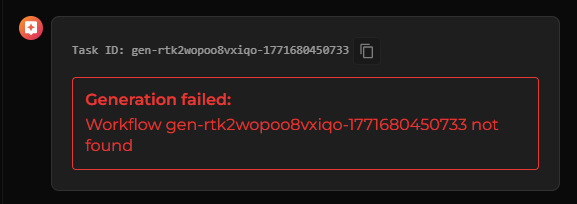
What this message actually means
When you see a message like:
“Generation failed: Workflow gen-xxxxxxxx not found”
it can look like something is broken or missing.
But in reality, this error has a specific cause.
Nothing in your project was deleted.
What happened is this: the system could not restore the previous generation workflow.
What’s happening behind the scenes
Craftology uses a workflow system (Temporal) to manage long-running tasks like image and video generation.
Each generation runs as a workflow, which tracks:
- progress of the task
- intermediate steps
- final outputs
If something interrupts this process — such as a timeout, restart, or infrastructure issue — the system may lose the ability to reconnect to that workflow.
When that happens, you see:
Workflow not found
Note
This means the workflow reference no longer exists or cannot be recovered. The generation itself may have stopped or become unreachable.
Why this happens
This error is usually caused by one of the following:
- the workflow expired or was cleaned up
- the backend restarted and lost the workflow reference
- a temporary infrastructure issue prevented recovery
- the generation ran too long and exceeded system limits
In all cases, the system cannot resume the previous task.
What you should do next
Try generating again
The safest and most effective solution is to run the generation again.
This starts a new workflow and avoids the broken reference.
Check if any result was already produced
Before retrying, take a moment to check:
- the chat outputs
- the shot’s generated results
- the review tab
In rare cases, the result may have completed but the workflow reference was lost.
Avoid relying on long-running unfinished tasks
If a generation runs for a long time without completing, it becomes more likely that the workflow cannot be restored.
If possible:
- prefer shorter or simpler generations
- verify results earlier in the process
Simplify the request if it happens repeatedly
If this error appears often, it may indicate that the task is too heavy or unstable.
You can improve reliability by:
- reducing resolution
- shortening video duration
- simplifying motion or scene complexity
- limiting the number of references
Best practice
Treat each generation as an independent task.
Once a workflow is interrupted and cannot be restored, it is more reliable to start fresh than to wait for recovery.
Tip
If something feels stuck, retrying is usually faster than waiting.
When to contact support
You should reach out if:
- the error appears repeatedly for simple tasks
- new generations also fail immediately
- no results are ever produced
Review the Reporting an Issue topic for more information.