Why does the scene lighting or mood look wrong?
When a generated scene looks darker, brighter, or more atmospheric than expected, it usually comes from how the system interprets the scene description. The generation engine builds the visual style directly from the scene prompt, which includes environment description, camera framing, and atmosphere details such as lighting, time of day, and mood.
For example, if the description mentions that only a narrow gap of light illuminates the scene while shadows fill the space, the model will intentionally produce a darker environment. Even if the reference image looks brighter, the prompt instructions take priority and may push the generated result toward a night or low-light mood.
Because of this, unexpected lighting often means the text description contains mood cues that strongly influence the model. Words related to darkness, stage lighting, shadows, or evening conditions can significantly affect the final image.
What to do when lighting feels wrong
Instead of regenerating repeatedly, review the scene description first. Small wording changes — such as clarifying the time of day, light sources, or atmosphere — can dramatically change the next generation result.
Where to adjust the scene text so the next generation matches your intent
Each scene and shot is generated from structured text fields that describe what should appear in the frame. The most important field is the positive prompt, which contains the main visual instructions used by the generation model.
When the system prepares a shot, it automatically fills several elements such as:
- environment references
- camera framing
- composition details
- lighting and atmosphere
- stylistic instructions
These values may be derived from the script, previous scene data, or generated automatically by the system. In many cases they work well, but sometimes the model may add unnecessary or inaccurate details.
When that happens, you can directly edit the positive prompt in the shot or scene card. Adjusting this text allows you to:
- remove unwanted details introduced by the model
- clarify the environment or mood
- refine lighting, composition, or stylistic direction
- simplify instructions so the model focuses only on the intended elements
After updating the prompt, regenerating the scene will use the same references and parameters but follow the corrected description.
Note
If the generated prompt contains elements that conflict with your intention, it is usually better to edit the text than to repeatedly regenerate the image.
Combining AI generation with manual editing
AI generation is designed to provide a strong starting point, but it rarely produces perfect results in a single pass. In practice, the workflow combines automated generation with manual refinement.
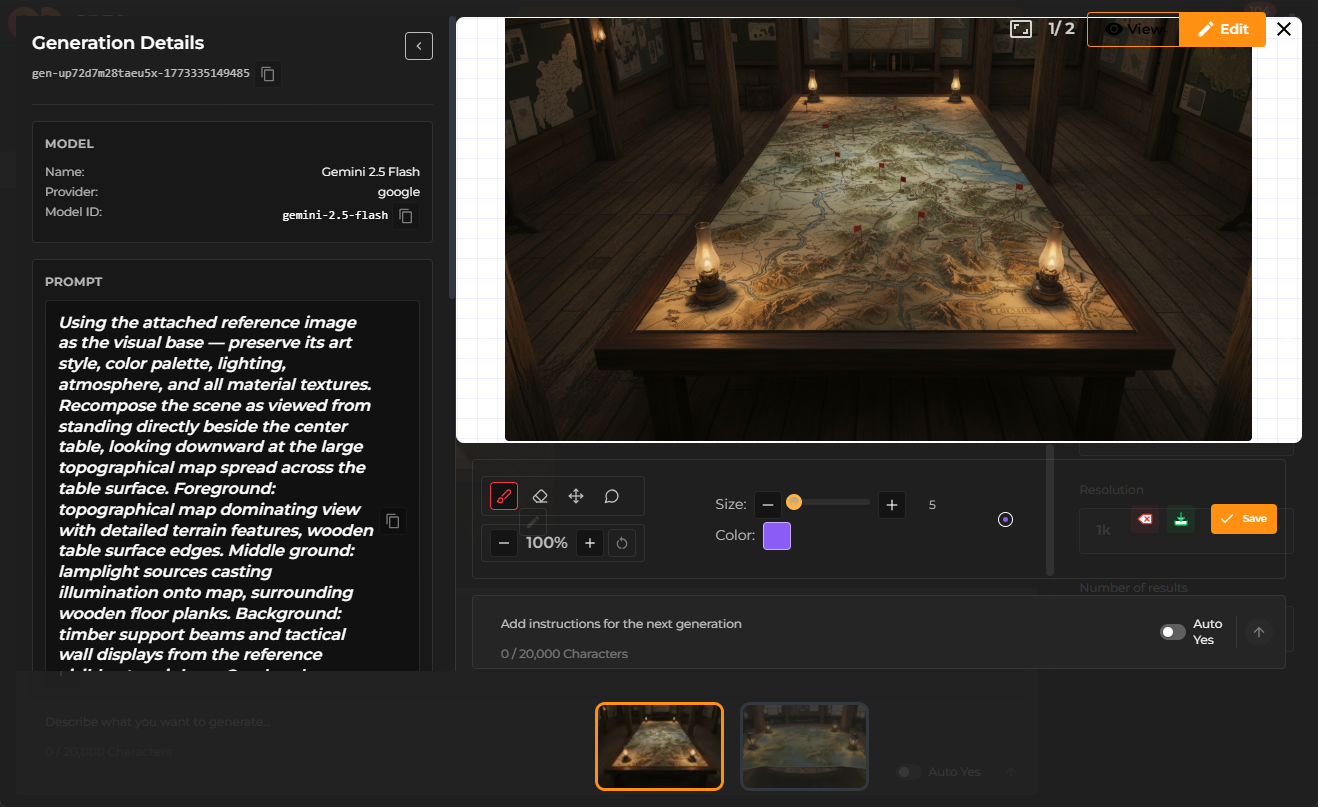
Typically, you begin by generating environments, characters, and scene variations automatically. The system creates multiple options using the existing description and references. From there, you review the results and select the closest match to your intent.
At this stage manual adjustments become important. You might:
- refine the prompt description
- add or remove reference images
- change the generation model
- modify composition or camera instructions
- regenerate specific elements instead of the entire scene
This iterative process helps maintain continuity across scenes while gradually improving visual accuracy. For example, a generated environment can serve as the base reference, while later scenes regenerate variations that match the same location.
Sometimes scenes still require direct manual work. When automatic continuity is not perfect, you can refine individual shots, adjust prompts, or add additional references so that the next generation better matches the visual direction.
Typical iteration workflow
A scene is generated from the script → you review the result → adjust the prompt or references → regenerate the frame → repeat until the scene matches the intended mood and composition.
Key takeaway
AI generation works best as an iterative collaboration between automation and human direction. The system generates scenes from text descriptions, but the final quality depends on how clearly the prompts define lighting, environment, and mood. By adjusting the scene text and refining prompts between generations, you guide the model toward the exact visual result you want.