Craftology Workflow
Craftology organizes video creation as a sequence of stages that gradually transform a story idea into visual media. Each stage produces information or assets that become inputs for the next stage.
The typical production flow is as follows:
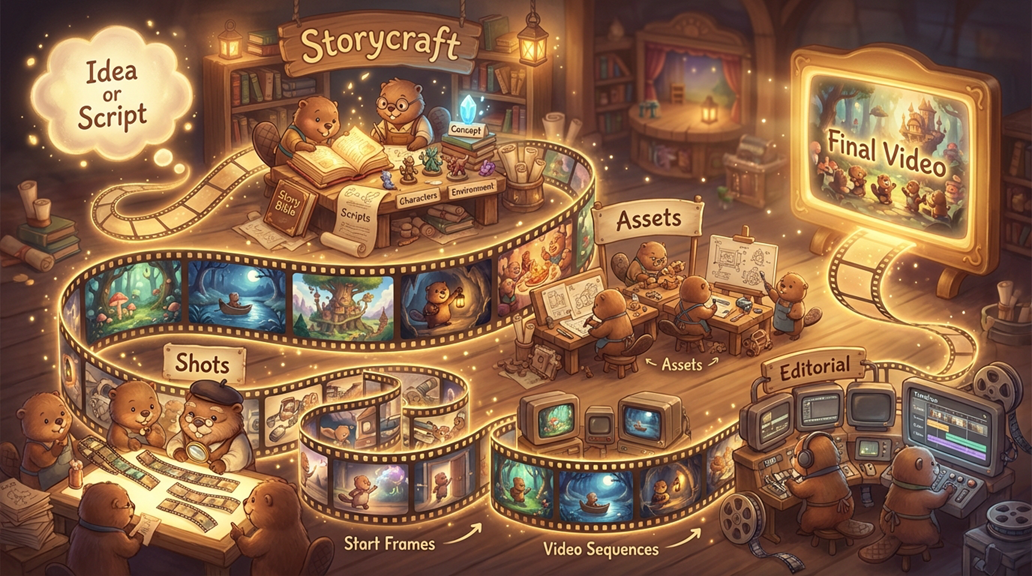
This structure mirrors a simplified version of a traditional film production pipeline. Instead of manually building each element, Craftology uses AI to generate drafts and suggestions that the user can review and refine.
However, the platform is designed to support two different styles of working: fast creators, who rely on automation, and directed creators, who participate in every step.
Below is a clear description of these two user types.
Fast Creators (Speed-Oriented Users)

Fast creators want to produce results quickly. Their main goal is to move from an idea to visual output with as little manual work as possible. They rely heavily on the system’s automation and default suggestions.
For these users, Craftology acts like a creative assistant that can quickly transform a story idea into a structured project and generate visual content automatically. They are less interested in fine-tuning every detail and more interested in seeing the story come to life rapidly.
When using Craftology, they typically provide a short idea or script and allow the system to generate the Story Bible, characters, environments, and scenes with minimal editing. If the generated results are acceptable, they move forward to start frames and video generation without spending much time refining descriptions.
These users often generate several variations and simply select the best option instead of carefully modifying prompts. Their workflow emphasizes speed and experimentation rather than precision.
Fast creators usually use Craftology for tasks such as quickly visualizing ideas, creating rough drafts of a story, producing concept videos, or exploring creative directions before investing time in refinement.
For them, the platform offers multiple Generate All buttons and options.
Directed Creators (Hands-On Users)
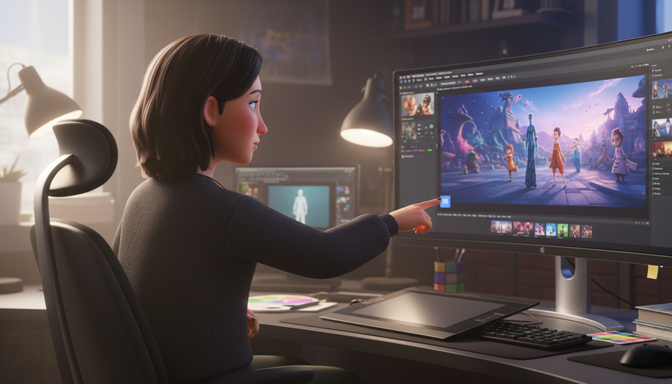
Directed creators prefer to participate in every stage of the process and maintain close control over the creative outcome. Instead of moving quickly through the pipeline, they treat each step as an opportunity to refine the story and its visual representation.
These users carefully review the Story Bible, adjust descriptions of characters and environments, and experiment with prompts before generating images. They often regenerate assets several times until the results match their expectations.
When creating scenes and shots, directed creators pay close attention to camera composition, character appearance, and environmental details. They frequently modify shot descriptions and regenerate start frames until the visual structure of the story is correct.
For them, Craftology functions more like a collaborative production tool rather than an automatic generator. They use the system to assist with creative tasks but remain deeply involved in guiding the outcome.
Directed creators typically use the platform for projects where visual consistency, narrative clarity, and artistic control are important. They may be producing more polished storyboards, structured video concepts, or content intended for further production.
Stage 1 — Idea or Script
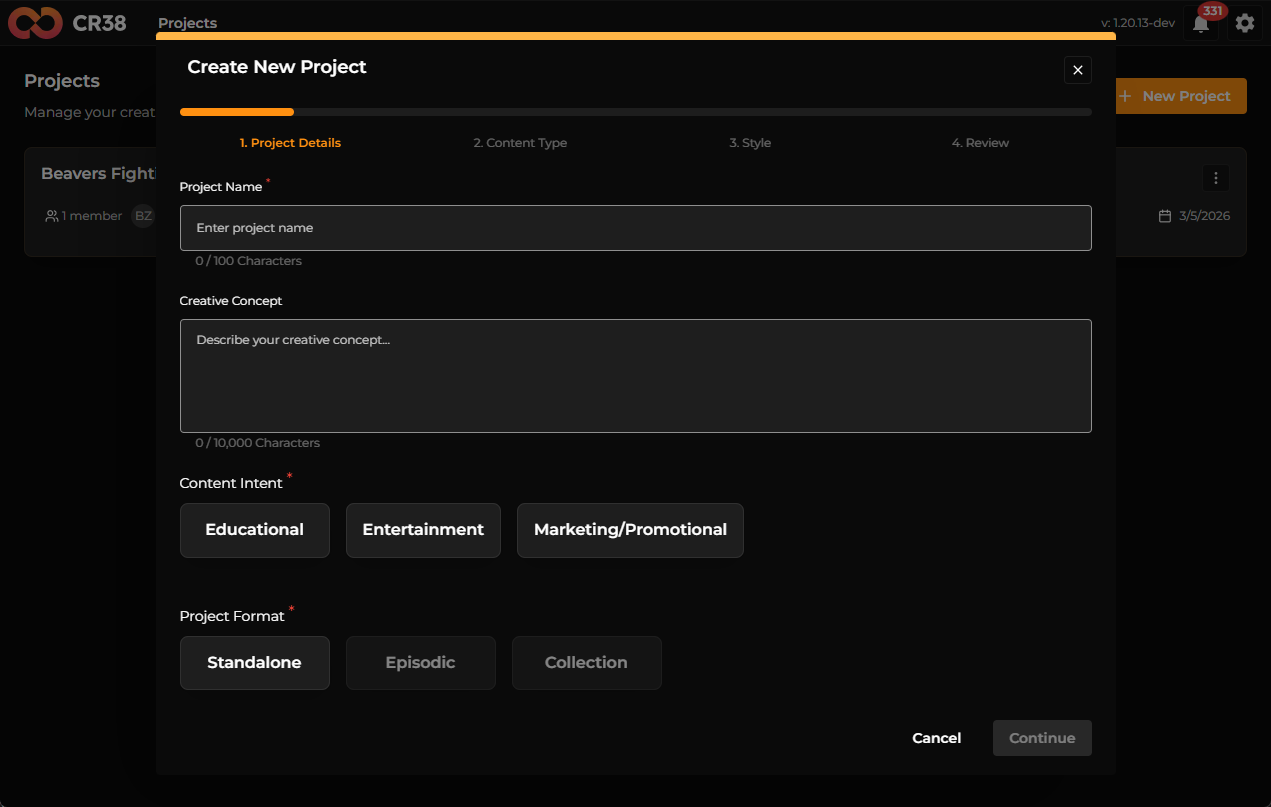
The workflow begins with a creative idea. This can be a short concept, a story outline, or a complete script.
Craftology analyzes the input and identifies narrative components such as characters, locations, and events. The system then generates a structured interpretation of the story.
For fast creators, this stage is extremely simple. They provide a short idea and allow the system to build the narrative structure automatically. Their goal is to move quickly to visual results.
Directed creators often spend more time refining the story input. They may edit the text to ensure the system understands the characters and environments correctly before proceeding.
Stage 2 — StoryCraft
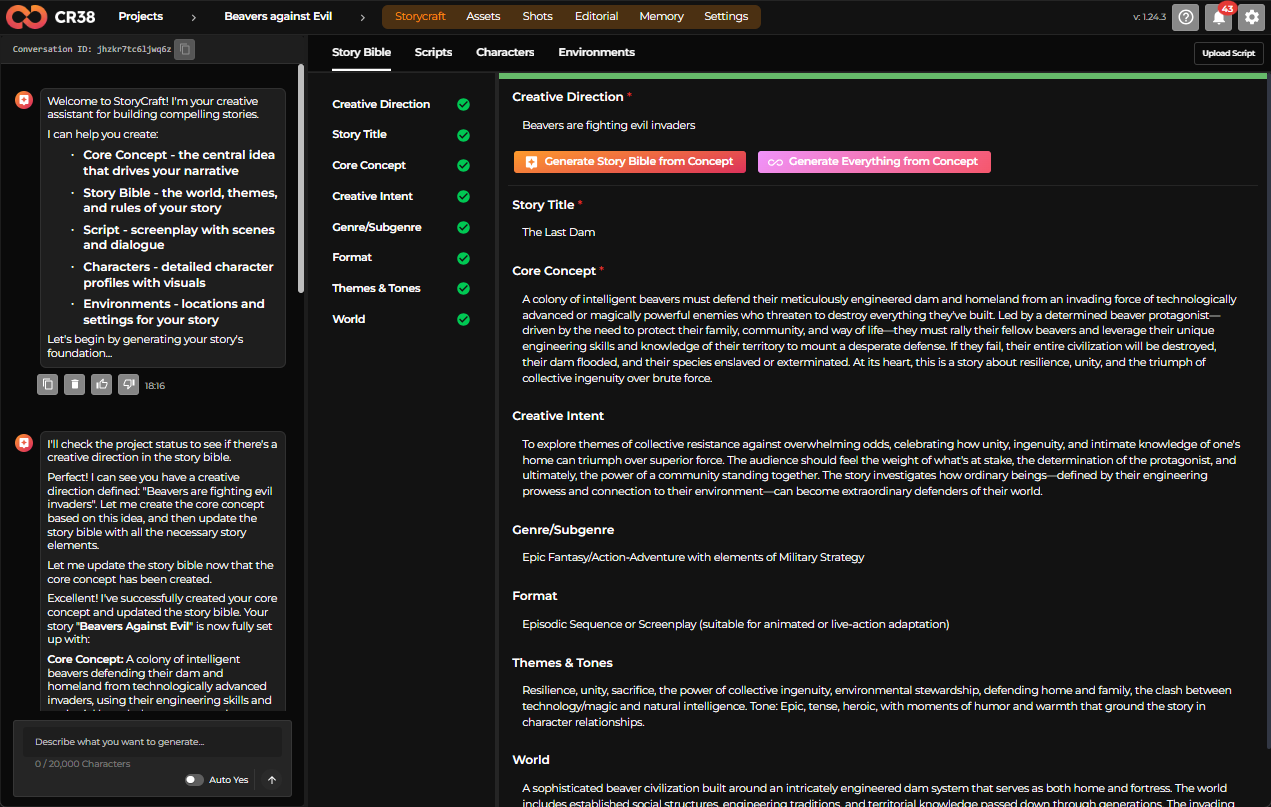
StoryCraft is the stage where the creative foundation of the project is defined. It acts as the central source of truth for the story, organizing all key narrative and worldbuilding elements before production begins.
In StoryCraft, creators define the Story Bible (concept, world, themes, tone), characters, environments, and scripts using structured templates. These templates ensure that all creative elements are clearly described and consistently referenced throughout the project.
The information created in StoryCraft is then used by downstream stages to generate visuals and build the final video. By establishing the narrative context early, StoryCraft ensures that all generated content remains consistent with the story, characters, and world.
Fast creators usually accept this generated structure with minimal changes. If the results seem reasonable, they continue to the next stage.
Directed creators carefully review the Story Bible and often modify descriptions. Small changes in these descriptions can significantly influence later image generation.
Stage 3 — Assets
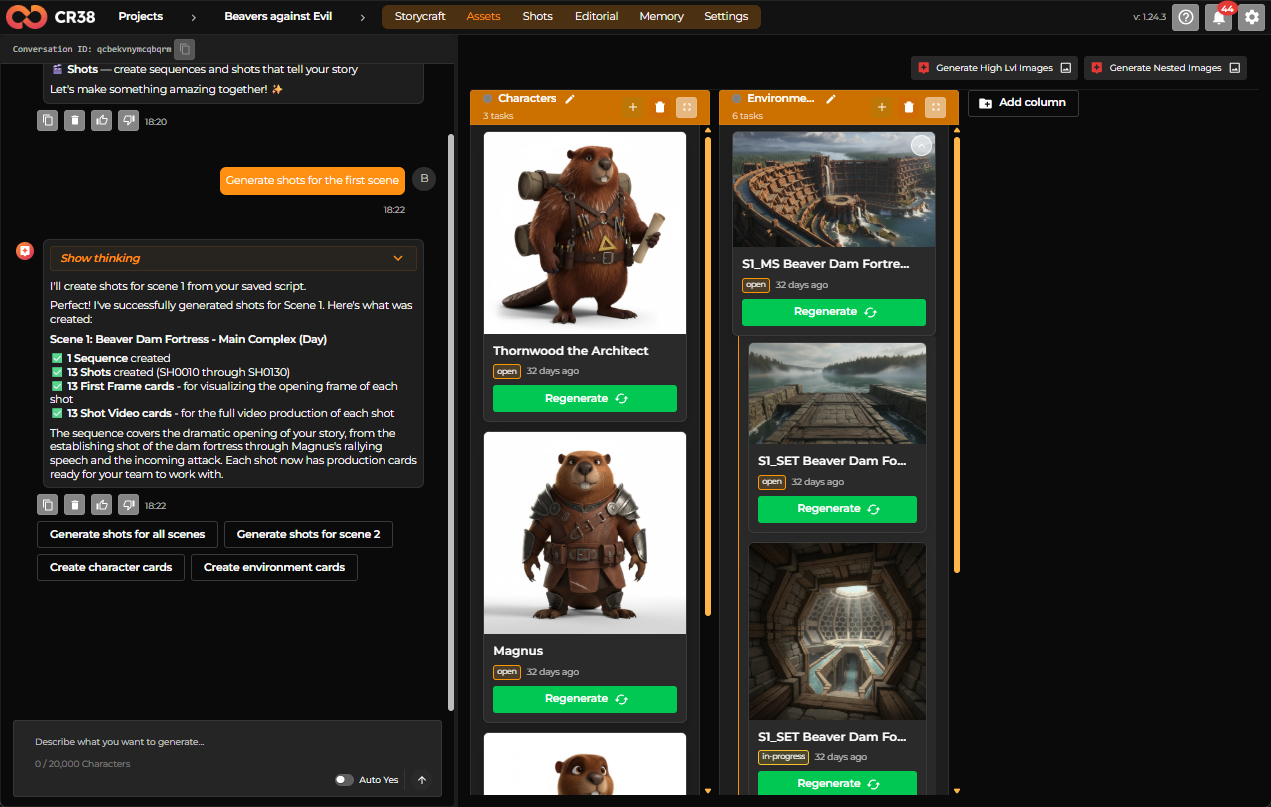
Once the narrative structure is defined, Craftology creates visual assets. These assets typically include characters and environments that appear in the story.
Each asset is stored in a structured object containing the description, generation prompts, and generated images.
Fast creators typically generate a few visual options and select one quickly. Their goal is to create usable assets that allow the project to move forward.
Directed creators may generate multiple variations, adjust descriptions, or upload reference images to guide the visual design. They aim to establish consistent characters and environments before moving to scenes.
Assets form the visual foundation of the project.
Stage 4 — Shots
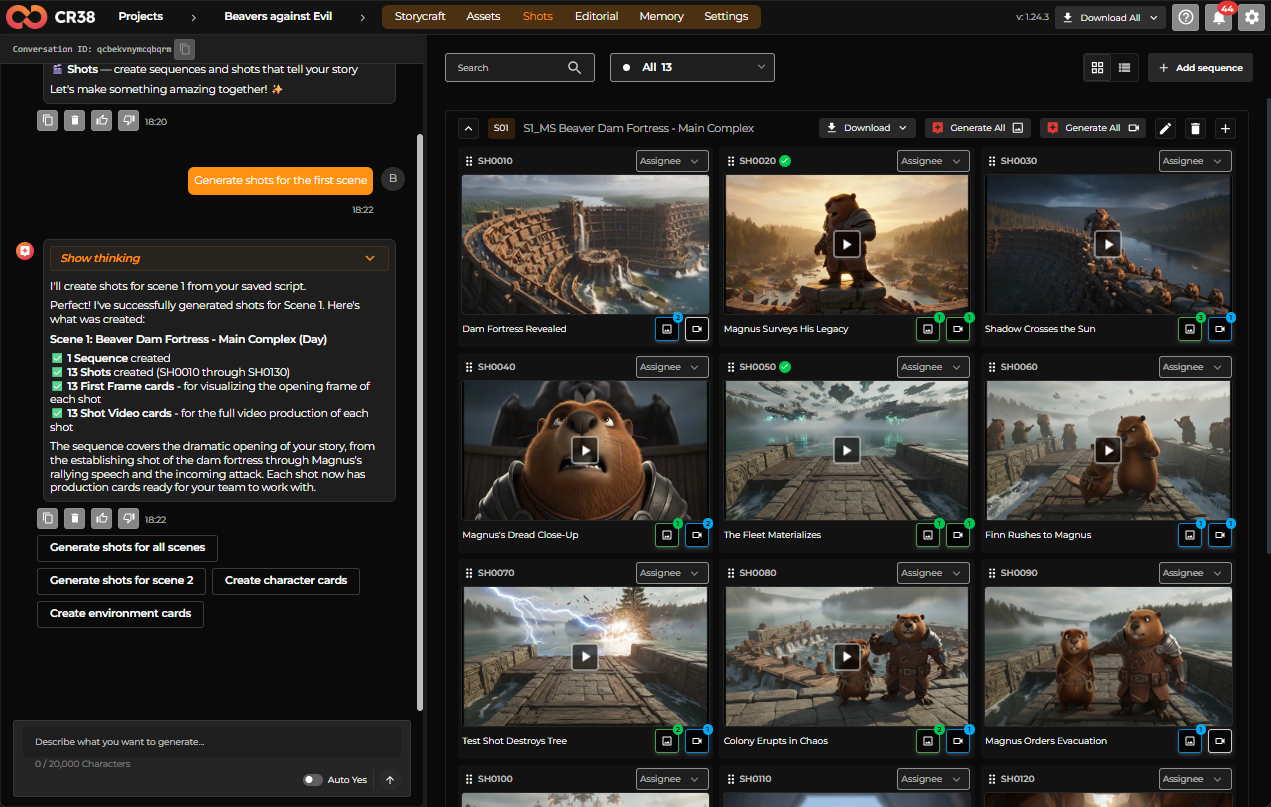
Shots represent narrative moments where characters interact within specific environments. Each shot includes a description of the camera perspective, characters involved, and environmental context.
Fast creators typically review the scenes briefly and move directly to frame generation.
Directed creators often adjust shot descriptions to control atmosphere, lighting, and narrative clarity before generating visuals.
At this stage, the project transitions from narrative structure to visual storytelling.
Stage 5 — Start Frames
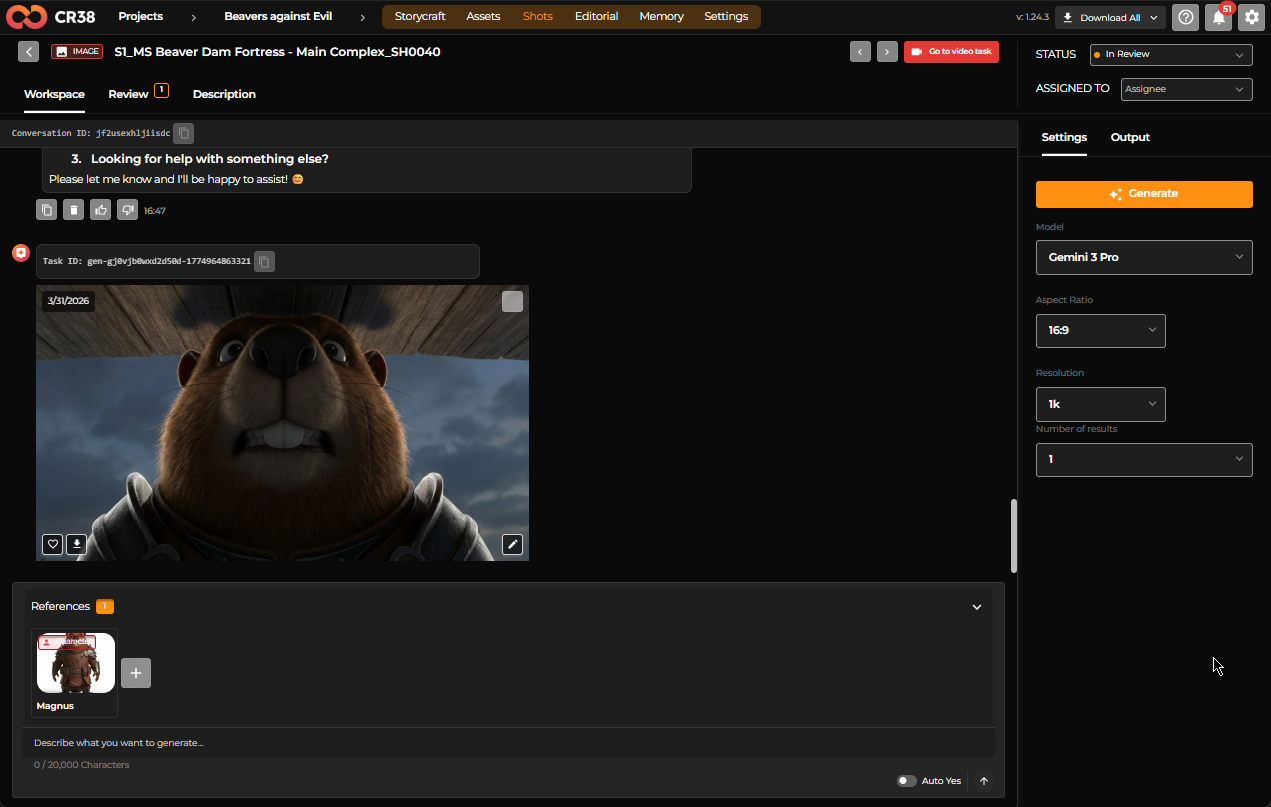
Before generating animation, Craftology uses Image Task to produces start frames, which are still images representing the composition of each shot.
Start frames function like storyboard images that preview how the scene will appear visually.
Fast creators often generate frames and proceed quickly if the results look acceptable.
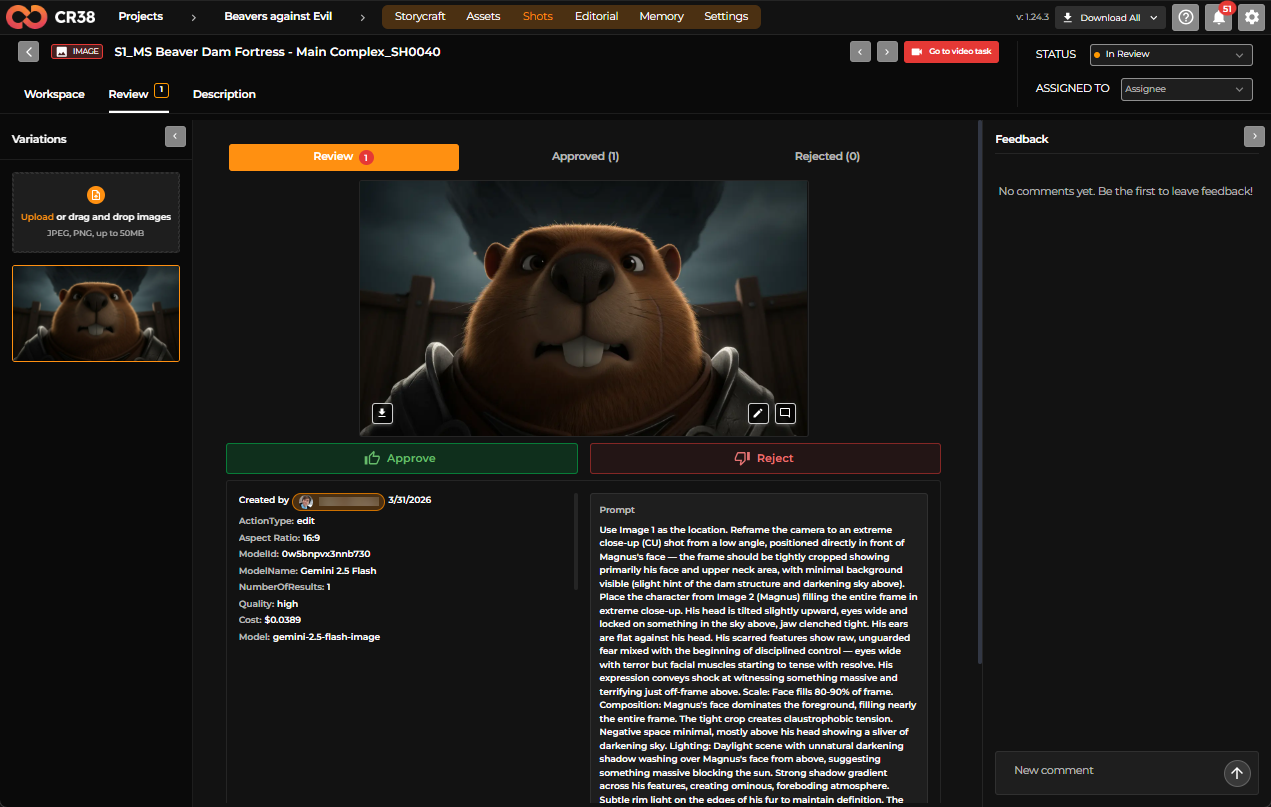
Directed creators examine the frames closely. They may regenerate frames or adjust shot descriptions until the composition matches their expectations.
This stage allows users to verify the visual structure of the story before moving to animation.
Stage 6 — Video Generation
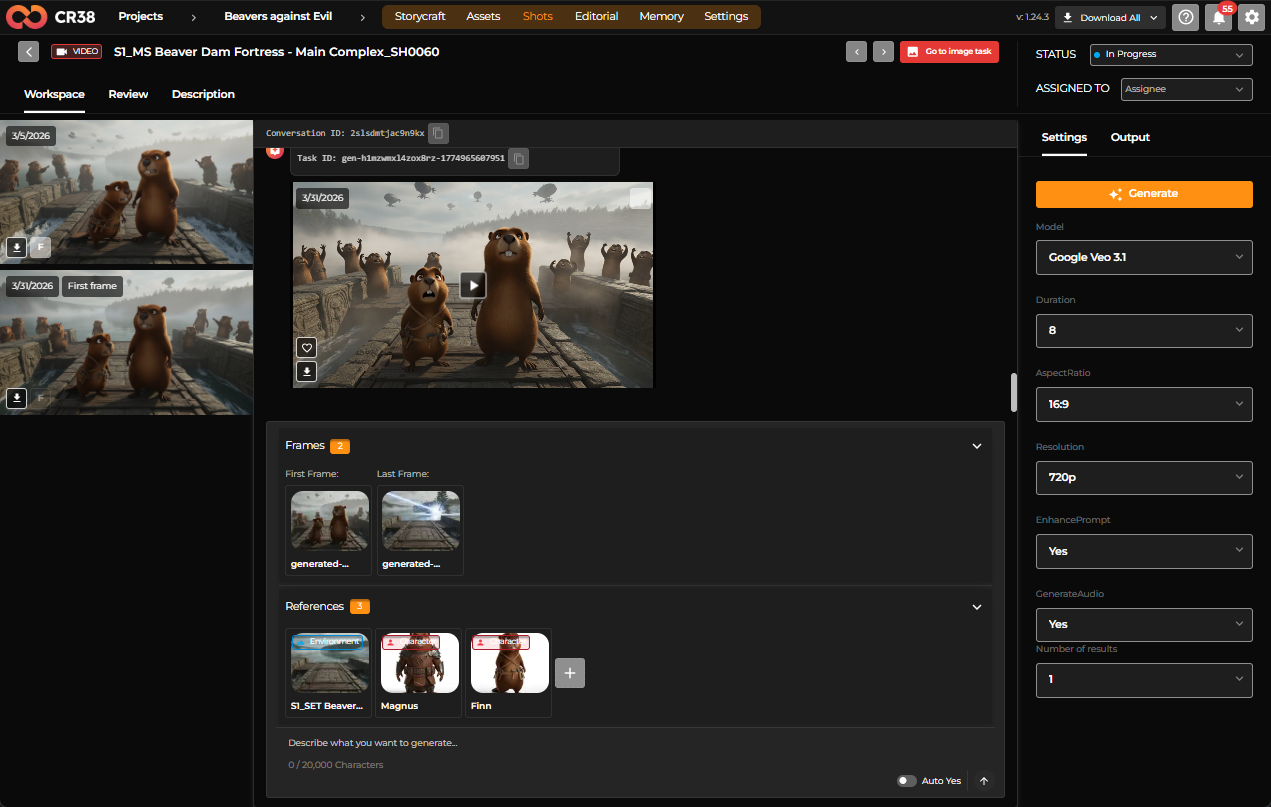
In this stage, Craftology generates animated clips based on the start frames and shot descriptions.
Each clip represents a short segment of the story.
Fast creators often generate clips immediately after frame generation, using them as a quick visual draft or concept video.
Directed creators may iterate on frames or scene descriptions before producing video to ensure visual consistency.
Stage 7- Timeline Video Editing
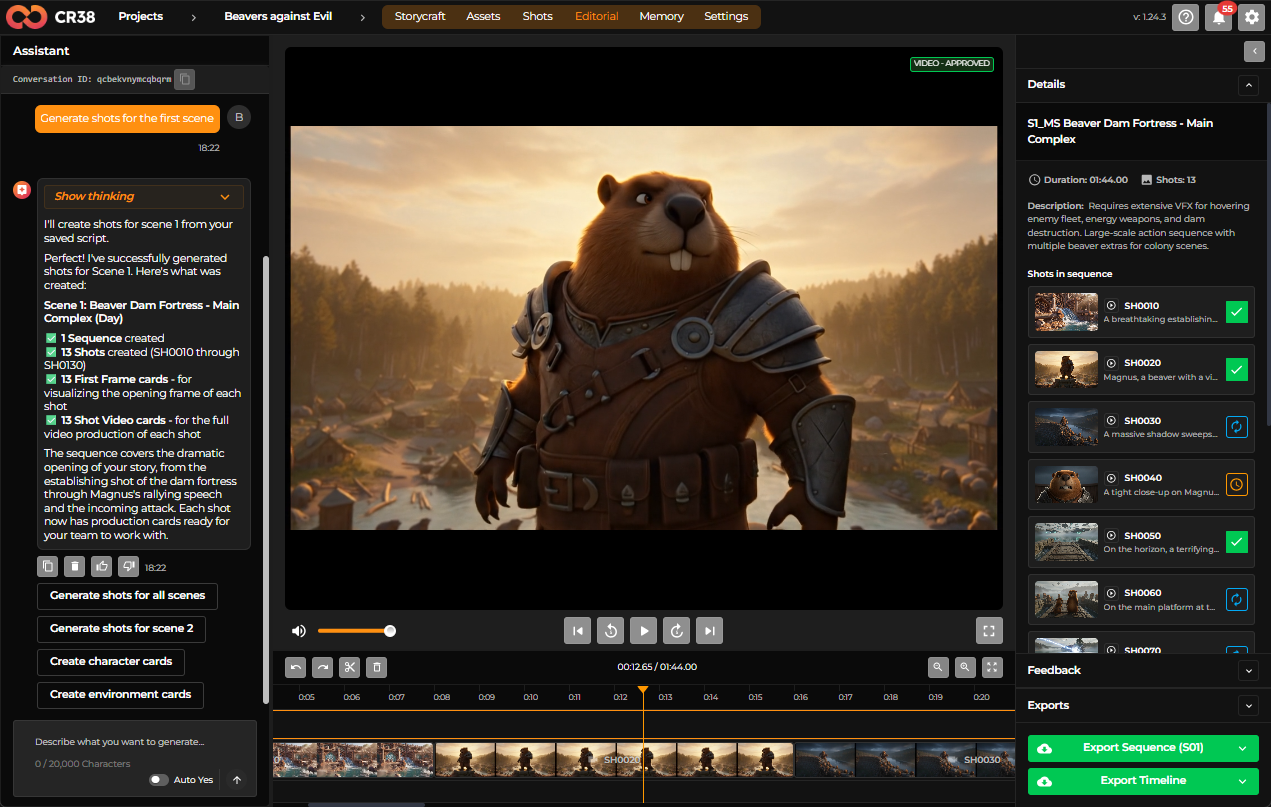
In the final stage, generated shots and video sequences are assembled into a final timeline and reviewed as a complete sequence.
You can preview the project as a continuous edit and export the final result.
How the Workflow Supports Both User Types
The structured Craftology model is designed so that both user types can use the same pipeline effectively.
Fast creators move quickly through the stages, relying on the system’s automated suggestions to generate results rapidly. For them, Craftology functions primarily as a rapid ideation and prototyping tool.
Directed creators move through the same stages more slowly, refining descriptions and assets at each step. For them, the platform acts as a collaborative production environment where AI assists but the user maintains creative control.
Because both users follow the same underlying structure, the system can support quick experimentation while still enabling detailed creative direction.